


Key takeaways
- Replacing SSL/TLS certificates at enterprise scale requires a complete inventory of every certificate, a controlled process to issue, deploy, and verify each one, and automation so renewals happen before expiry.
- An expired certificate fails suddenly, taking down whatever depended on it, from public websites to internal APIs and partner integrations.
- Most outages trace back to an ownership gap rather than the technology, when certificates are spread across teams with no one accountable.
- The replacement process runs through four stages: inventory, issue, deploy, and verify, with inventory being the one that enterprises most often get wrong.
- Shrinking certificate lifespans and the move to post-quantum cryptography are pushing renewal volume past what manual work can handle.
- Centralized visibility and automation let teams replace certificates reliably and respond fast when a certificate authority is distrusted or a key is compromised.
SSL/TLS certificates stay invisible right up until one expires and takes a system down with it. The hard part isn’t replacing a certificate on time. It’s doing that reliably across the hundreds or thousands an enterprise runs at once.
On schedule, replacement remains a quiet background process. When it falls behind, it surfaces as an outage, a failed audit, or a security warning in front of customers. What separates the two is visibility into every certificate and a dependable way to replace each one before it expires.
What SSL/TLS certificates protect in a business
A single failure rarely stays contained. It cascades to every system that trusts that certificate, and most enterprises have no precise count of how far that reaches.
What happens when a certificate expires
When a certificate expires, the systems relying on it stop trusting each other, usually all at once. The fallout typically shows up across four areas:
- Public sites show visitors a security warning that most will not click past.
- APIs and integrations reject connections, halting payment processing and partner data exchange.
- Internal services lose the ability to authenticate to one another.
- Engineering teams drop planned work to respond to an incident they didn’t see coming.
The more dangerous problem is that responsibility for tracking expirations often belongs to no one. The engineer who installed a certificate two years ago may have changed teams or left the company, taking the only record of its renewal date with them.
Certificate sprawl and the ownership gap
Certificate sprawl sets in when certificates multiply across an environment faster than any single team can track them. They come from different certificate authorities and are owned by separate teams, so no one holds the full count or the full responsibility. Each acquisition and cloud migration adds another set that someone else owns.
Most are issued to solve an immediate need, then fade into the background until they fail. That gap, not the technology, is what causes most certificate-related outages.
Compliance and liability exposure
Certificates are also a matter of governance. Regulations across finance, healthcare, and data privacy expect organizations to protect data in transit, and expired or weak certificates show up as audit findings.
The scrutiny no longer stops at auditors. Customers and partners increasingly probe how you manage encryption during security reviews, before they sign a contract.
Both come down to the same thing: a current inventory you can produce on demand. Without one, every audit and security review turns into a scramble.
How to replace an SSL/TLS certificate
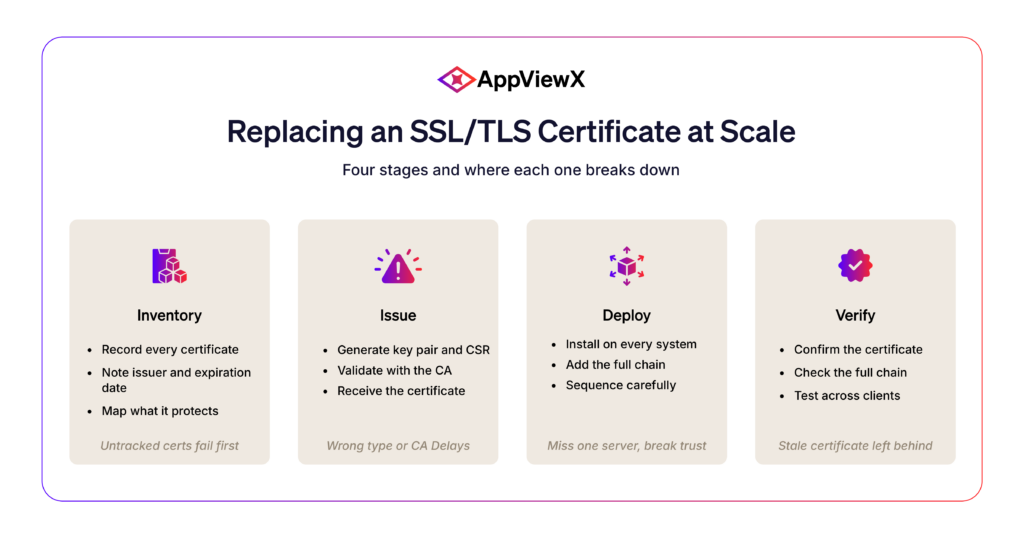
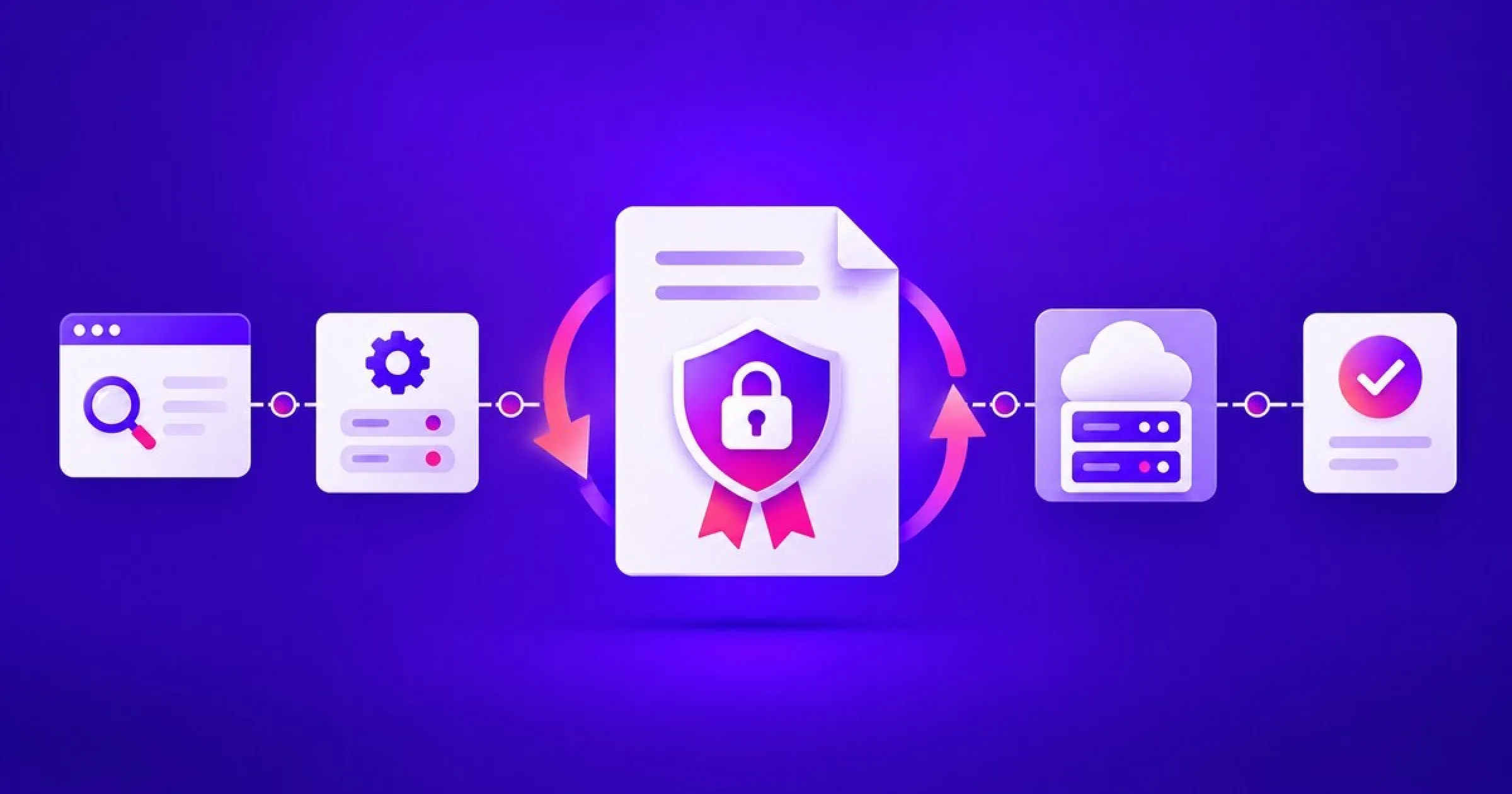
Replacing a certificate follows the same steps whether you’re handling one or a thousand. The difference at enterprise scale is coordination, not technical difficulty. At a level worth understanding as the person accountable for it, the process moves through four stages:
| Stage | Objective | What goes wrong at scale |
| Inventory | Know every certificate you hold | Untracked and orphaned certificates |
| Issue | Request and validate the new certificate | Wrong type, or validation stalls |
| Deploy | Install it everywhere the old one lived | Some systems updated, others missed |
| Verify | Confirm every system trusts the new one | Missing intermediates or a stale copy left behind |
Inventory your certificates
Everything starts with knowing what you have. For one certificate that’s trivial. Across an enterprise, it’s the step most teams get wrong, and an incomplete inventory guarantees a few certificates slip through and fail in production.
The worst outages almost always trace back to certificates nobody knew existed. That’s why discovery, not deployment, is where serious programs spend their early effort.
Issue the new certificate
With the inventory in hand, issuing is straightforward: generate a key pair and certificate signing request, submit it to the certificate authority for validation, and receive the new certificate.
The risk at this stage is choosing the wrong certificate type or validation delays that stall the timeline.
Deploy the new certificate
Deployment installs the certificate and its full chain of intermediates on every system that used the old one.
Sequencing matters here. A certificate updated on one server but missed on another behind the same load balancer produces intermittent errors that are hard to diagnose.
Verify the replacement
A replacement isn’t finished at install. Confirm every system presents the correct certificate and full chain, that the expiry is right, and that applications connect cleanly across environments.
This is also where rollback planning earns its keep. A fast revert turns a botched deployment into a minor delay rather than an incident.
The cost of an expired SSL/TLS certificate
The reason any of this earns executive attention is that the cost of downtime lands on the business, not just the infrastructure team. For more than 90% of mid-size and large enterprises, a single hour of downtime now runs past $300,000, and 41% put the figure between $1 million and $5 million an hour. An expired certificate is one of the most preventable ways to start that meter running.
- Lost revenue from transactions customers can’t complete while the public system is down.
- Emergency engineering time spent recovering, which is effort the business never gets back.
- Eroded trust, since customers remember the warning and may be reluctant to visit your website.
- Compliance exposure, where a lapse becomes an audit finding or a breach of a contractual security commitment.
Why replacing certificates at scale matters
Two shifts are moving certificate replacement from an occasional task to a continuous discipline, and both reward the organizations that prepare early.
Shorter certificate lifespans
The CA/Browser Forum has approved a schedule that cuts the maximum lifespan of public TLS certificates from 200 days today to 47 days by 2029, after the first reduction earlier in March 2026.
A certificate that used to be renewed once a year will soon need replacing close to eight times a year. Across thousands of certificates, that turns renewal into a volume no manual process can keep pace with. Teams that move to automated replacement ahead of the change will absorb it without disruption, while the rest will feel each reduction as it arrives.
Preparing for post-quantum cryptography
The second shift is further out but far larger in scope. With NIST having finalized its first post-quantum cryptography standards, enterprises will eventually replace certificates built on today’s encryption with quantum-resistant algorithms.
That migration reaches every certificate an organization holds. The advantage goes to teams that already have full visibility into their inventory and can replace at scale, because crypto-agility, the ability to swap algorithms quickly across the entire estate, depends on exactly that capability.
How to automate SSL/TLS certificate management
Manual certificate management doesn’t scale. Automation closes that gap by handling discovery, renewal, and deployment for you, so certificates get replaced before anyone has to track a date.
| Capability | Manual management | Automated management |
| Discovery | Periodic spreadsheet audits | Continuous, across the environment |
| Renewal | Depends on someone remembering | Triggered automatically before expiry |
| Outage risk | A missed deadline takes systems down | The most common cause is removed |
| Audit readiness | Evidence assembled under pressure | A current record is always available |
| Engineering time | Repetitive manual chores | Freed for higher-value work |
Certificate lifecycle automation
Automation handles the predictable parts of certificate work. A mature setup discovers certificates across the environment and renews and deploys them before they expire, with no manual steps.
That does two things. Renewal becomes a background process rather than a recurring task, and skilled engineers get their hours back for work that actually needs the expertise.
Centralized monitoring and alerts
Automation works best alongside a single view of every certificate the organization holds. Centralized monitoring shows what you have, what’s expiring, and what needs attention, and it alerts the right people before anything turns critical.
It also answers the question that matters most in a crisis. When a certificate authority is distrusted, or a key is compromised, you need to know immediately how many certificates are affected and how fast you can replace them. With central visibility, that answer takes minutes. Without it, the first hours go to simply finding out.
How AppViewX simplifies enterprise SSL/TLS management
AppViewX is built to bring visibility and automation to SSL/TLS management at scale. The platform delivers automated certificate lifecycle management and centralized visibility across every certificate, certificate authority, and environment you run.
AppViewX SSL/TLS certificate lifecycle management covers the full process:
- Discovery across every CA, cloud, and on-prem system, surfacing the SSL/TLS certificates no one was tracking.
- A live inventory of every certificate that stays current instead of aging out in a spreadsheet.
- Automated renewal that issues and deploys certificates before they expire, flagging each one well in advance.
- Policy and ownership that hold every certificate to approved CAs and give it a clear owner.
The result is fewer SSL/TLS-related outages, a fast answer when a CA is distrusted or a key is compromised, and an SSL/TLS certificate program leadership can see and trust. Security and infrastructure teams replace, renew, and govern certificates at scale without the manual effort that creates risk. Instead of tracking expirations across spreadsheets and disconnected tools, they work from a single source of truth and let automation handle the routine work.

Tags
About the Author

Krupa Patil
Product Marketing Manager
A content creator focused on providing readers and prospective buyers with accurate, useful, and latest product information to help them make better informed decisions.