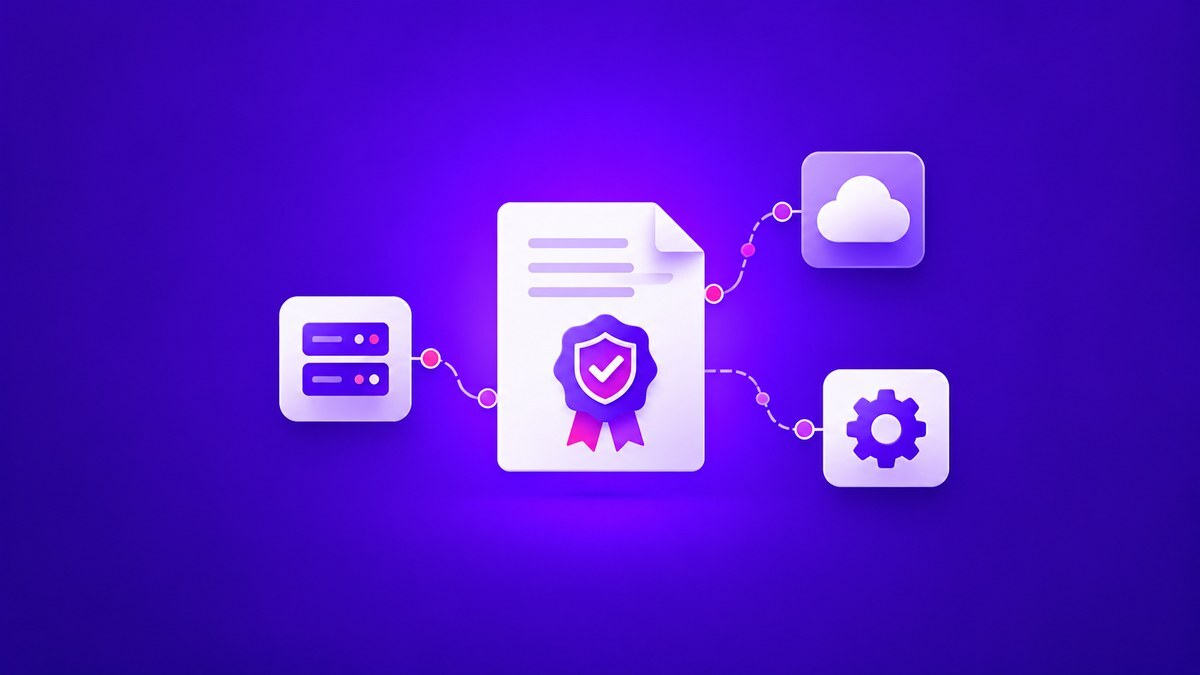


Most certificate management vendors now describe their platforms as “automated.” That label can describe anything from a renewal script on a single server to a platform that discovers, issues, deploys, and verifies certificates across every CA and cloud an enterprise runs.
Once public TLS certificates are capped at 47 days by 2029, each one will need renewing multiple times a year, and teams that automate the full lifecycle can absorb that pace without adding headcount. Understanding how certificate automation works makes it easier to evaluate platforms with confidence.
Key takeaways
- Certificate automation can only renew and install the certificates it can see. Start by building a full certificate inventory and setting issuance rules, then automate renewal on top of them.
- Installation on the endpoint removes the most manual work. Check that a platform handles that step as well as renewal.
- Discovery, CA-agnostic issuance, policy enforcement, and endpoint deployment form the core of any platform, alongside access controls, integrations, and crypto-agility. Test each one on your own systems before you sign.
What is certificate automation?
Security and infrastructure teams use certificate automation to manage the full certificate lifecycle through policy. With it, you can:
- Find all certificates across on-prem, cloud, and container environments
- Issue certificates from approved public and private CAs
- Renew certificates before they expire
- Install and verify certificates on the endpoints that present them
- Revoke compromised certificates and reissue them at scale
According to the CNCF, 82% of container users now run Kubernetes in production, up from 66% in 2023, and every service in a cluster can carry its own short-lived certificate.
CNCF graduated cert-manager, the open-source Kubernetes certificate controller, in November 2024. Gartner expects 33% of enterprise software applications to include agentic AI by 2028, up from less than 1% in 2024.
Let’s Encrypt plans to cut its default validity to 45 days by 2028, and AWS Certificate Manager’s ACME endpoints issue 45-day certificates today.
How certificate automation works
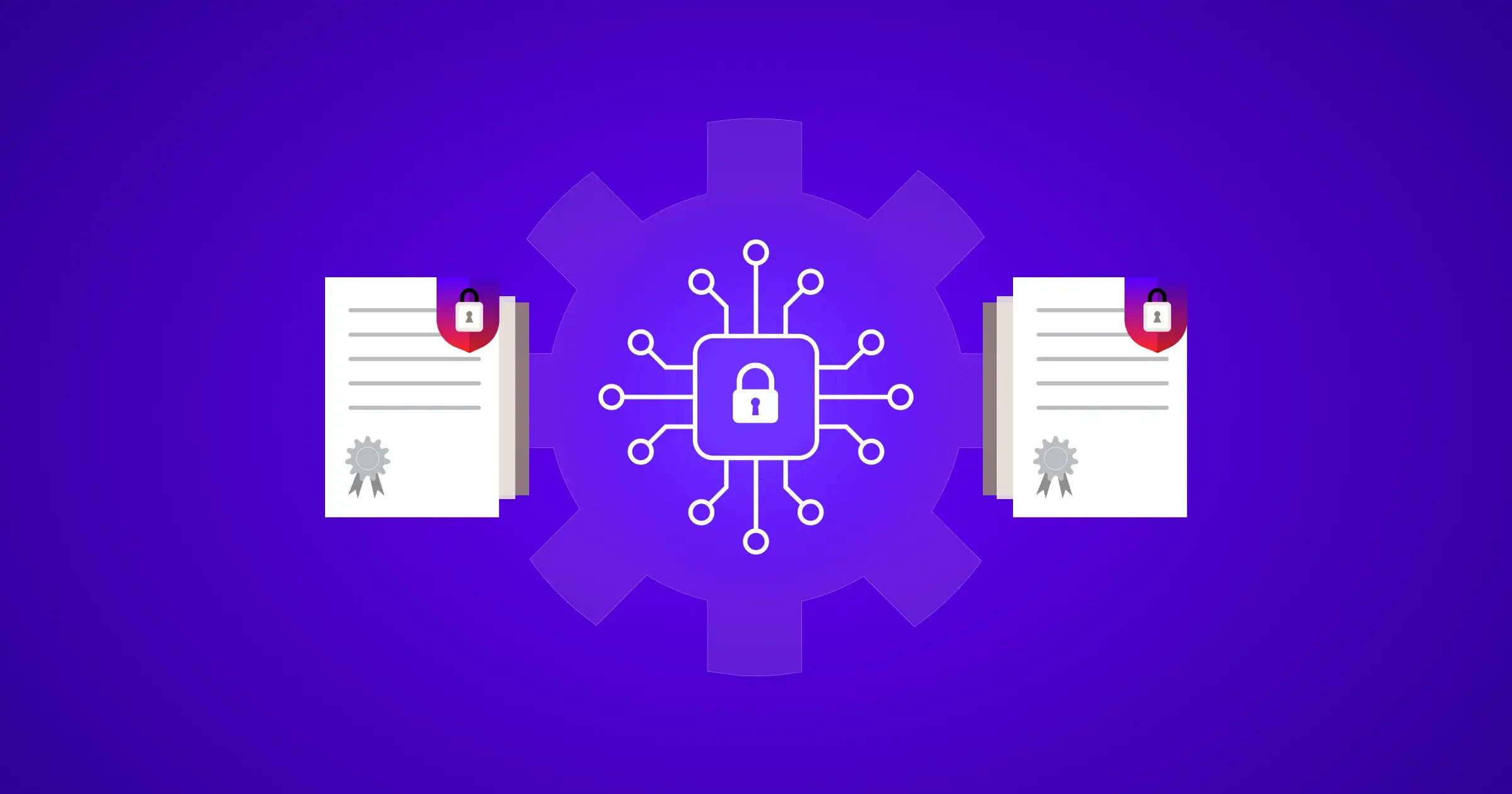
A tool might renew a certificate on schedule while someone still installs it manually, or a new server might go live without its certificate ever reaching the inventory. Covering the full lifecycle takes four components working as one continuous loop.
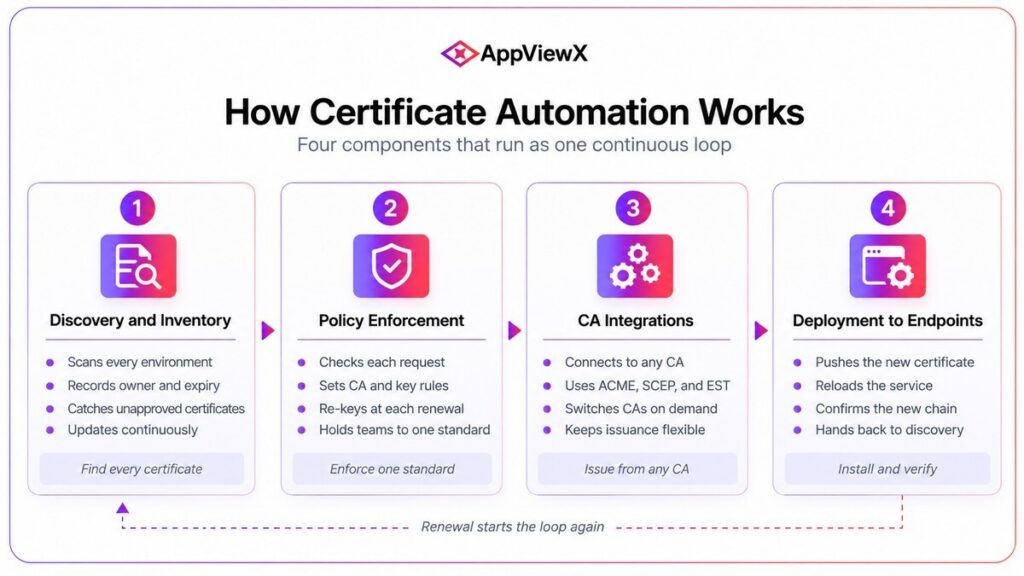
Figure 1. The four components of certificate automation
Discovery and inventory
A discovery scan sets the scope for everything that follows. It sweeps networks, cloud accounts, load balancers, Kubernetes clusters, and CA records, then builds a live inventory showing each certificate’s owner, location, issuer, key strength, and expiry.
Certificate discovery that runs continuously picks up new certificates as they appear, including ones created outside approved processes.
Flexera reports that 73% of organizations run hybrid cloud estates, where certificates spread across clouds and data centers.
Policy enforcement
Enforcing CA choice, key strength, and validity limits at the point of request stops non-compliant certificates at the source and holds every team to the same standard automatically.
Strong policy engines also enforce re-enrollment with a new key pair at each renewal, limiting how long any private key stays in use. Once those rules are in place, policy-driven automation can turn them into reusable templates that application teams request against directly.
CA integrations
Issuance depends on direct connections to public and internal certificate authorities through APIs and enrollment protocols such as ACME, SCEP, and EST. Broad CA support lets each team use the right CA for the job while one policy governs all of them.
CA coverage also determines how quickly an organization can change course. In 2025, Google announced that new certificates from two CA owners would no longer be trusted by default in Chrome. Their customers had to reissue from other CAs, and a CA-agnostic platform turns that kind of change into a scheduled migration.
Deployment to endpoints
Many tools stop at renewal and leave teams to install certificates on web servers, load balancers, and ingress controllers by hand.
Closed-loop automation completes deployment by pushing the certificate, reloading the service where required, and confirming that clients receive the new chain.
ACME Renewal Information, published in June 2025, lets a CA suggest a renewal window to clients, which helps automated systems replace certificates ahead of a mass revocation.
AppViewX builds its automation around deployment, with native integrations for load balancers such as F5 BIG-IP and NetScaler, web servers, and Kubernetes environments. Certificates move from issuance to the live endpoint in a single workflow.
Levels of certificate automation
Four common approaches differ in what they automate, where they fall short, and the setups they suit.
Table 1. Certificate automation approaches compared
| Level | What it automates | Where it falls short | Best fit |
| Custom scripts | Renewal on specific servers | No inventory; breaks when systems or owners change | Small, stable environments |
| ACME clients | Issuance and renewal per endpoint | Little central visibility or policy control | Web servers and DevOps teams using clients like Certbot |
| CA-provided tools | Lifecycle for one CA’s certificates | Blind to other CAs; creates lock-in | Single-CA estates |
| CLM platforms | Discovery through deployment across CAs and environments | Requires upfront integration work | Multi-CA, hybrid, and regulated enterprises |
Source: AppViewX analysis and EFF.
Two situations limit every approach. Air-gapped or offline devices need a reachable endpoint or an offline enrollment path before renewal can run. Certificates pinned inside mobile apps can only be replaced by shipping an app update, because the app expects one specific pinned certificate.
A Forrester Total Economic Impact study commissioned by AppViewX estimated that manual renewal takes about 30 minutes per certificate, compared with roughly 15 seconds when automated. At 47-day validity, that difference compounds across the entire estate.
Certificate automation example: renewal hours at 47 days
Say a company manages 2,000 public TLS certificates. This hypothetical example applies the Forrester time estimates to each step of the CA/Browser Forum schedule.
Table 2. Annual renewal effort for a hypothetical 2,000-certificate estate
| Maximum validity | Renewals per year | Manual hours (30 min each) | Automated hours (15 sec each) |
| 398 days (before March 2026) | 1,834 | 917 | 7.6 |
| 200 days (March 2026) | 3,650 | 1,825 | 15.2 |
| 100 days (March 2027) | 7,300 | 3,650 | 30.4 |
| 47 days (March 2029) | 15,532 | 7,766 | 64.7 |
Source: Forrester Total Economic Impact time estimates and CA/Browser Forum Ballot SC-081v3.
Method: 2,000 certificates × 365 days ÷ maximum validity, rounded. Assumes each certificate renews at its maximum validity, so earlier renewals would raise every figure.
That final row comes to about four full-time engineers of manual work each year, while the automated equivalent stays under 65 hours.
What to look for in a certificate automation platform
For a multi-CA, hybrid enterprise, certificate automation capabilities fall into two tiers: the foundations of a scalable program, and features that add value as the program matures.
Table 3. Must-have and nice-to-have capabilities
| Requirement | Capability | Why it matters |
|
Must-have
|
Continuous discovery in every environment | Finds new certificates as environments change |
| CA-agnostic issuance from any approved CA | Avoids lock-in and supports fast CA changes | |
| Policy-driven renewal | Keeps all certificates compliant by default | |
| Automated deployment and verification | Completes the loop without manual installs | |
| Role-based access and audit trails | Delegates safely and simplifies audits | |
| ITSM, DevOps, and cloud integrations | Fits automation into existing workflows | |
| Crypto-agility for algorithm changes | Prepares the estate for post-quantum migration | |
|
Nice-to-have
|
Self-service enrollment for app teams | Speeds delivery once policy is mature |
| Kubernetes-native certificate management | Handles high-volume workload certificates for container-heavy teams |
Source: AppViewX analysis.
Crypto-agility earns its must-have spot because NIST’s draft transition guidance proposes to deprecate RSA and ECC after 2030 and disallow them after 2035. The replacement algorithms are already standardized: NIST published ML-DSA as FIPS 204 in August 2024.
How to test vendor automation claims
Because demos run on clean, prepared environments, a hands-on trial in your own environment shows how far a platform’s automation actually goes:
Force a full renewal: Have the vendor renew a certificate on your own load balancer and show the new chain served to clients.
Switch CAs mid-test: Request the same certificate from a second public CA and a private CA. Claims of CA-agnostic support that only extend to discovery surfaces quickly.
Compare discovery results: Run discovery against a segment you’ve already inventoried, including non-standard ports and cloud secret stores, and check what it misses.
Replace certificates in bulk: Simulate a key compromise and time how long it takes to replace every affected certificate.
Review the audit trail: Every automated action should show the policy applied, who approved it, and when it ran.
Where to start with certificate automation
When rolling out automation, your team can start with the certificates where renewals happen most often, and automation saves the most time:
- Public-facing TLS certificates, which face the steepest validity cuts
- Load balancer and ingress certificates, where one renewal protects many applications
- For container-heavy teams, Kubernetes and DevOps workloads issuing short-lived certificates at volume
Teams working toward the 47-day certificate validity schedule can use each phase to fine-tune renewal windows and approval workflows before the next reduction takes effect. The same Forrester study valued renewal automation alone at $1.2 million in efficiency gains for its composite organization.
How AppViewX automates certificate management
AppViewX brings certificate automation for hybrid environments into one platform, spanning every CA, multi-cloud, and on-prem infrastructure. AVX CLM includes:
- Smart Discovery that flags unmanaged, rogue, and non-compliant certificates across hybrid infrastructure
- Policy Engine that applies the same rules to every certificate request
- Workflows that bind certificates to load balancers and other endpoints
- Automated CA switching when a provider changes

Disclaimer: Facts checked October 25, 2026. Confirm product details with each vendor before buying.
Frequently asked questions
What is the difference between certificate automation and PKI?
PKI is the system of certificate authorities, keys, and policies that issues and validates certificates. Automation sits on top of PKI and handles each certificate after issuance, from tracking expiry to installing the replacement. An organization can run its own PKI and still renew every certificate manually.
Does certificate automation require agents on every server?
No. Many platforms connect through APIs on load balancers, cloud services, and certificate authorities, and use lightweight agents only on servers with no management interface. The right mix depends on the systems an estate runs and how much agent upkeep the team can handle.
Do private certificates need to follow the 47-day limit?
Not under the CA/Browser Forum’s rules, which cover publicly trusted TLS certificates only. Private CA certificates follow the organization’s own policy, though plenty of teams shorten internal lifetimes anyway because one renewal process for public and private certificates is easier to run than two.
Sources
- CA/Browser Forum, Ballot SC-081v3 on certificate validity: https://cabforum.org/2025/04/11/ballot-sc081v3-introduce-schedule-of-reducing-validity-and-data-reuse-periods/
- CNCF, Annual Cloud Native Survey: https://www.cncf.io/reports/the-cncf-annual-cloud-native-survey/
- CNCF, cert-manager graduation announcement: https://www.cncf.io/announcements/2024/11/12/cloud-native-computing-foundation-announces-cert-manager-graduation/
- Gartner, agentic AI predictions press release: https://www.gartner.com/en/newsroom/press-releases/2025-06-25-gartner-predicts-over-40-percent-of-agentic-ai-projects-will-be-canceled-by-end-of-2027
- Let’s Encrypt, 45-day certificate lifetimes: https://letsencrypt.org/2025/12/02/from-90-to-45.html
- AWS, ACM ACME support announcement: https://aws.amazon.com/about-aws/whats-new/2026/07/aws-certificate-manager-acme
- Flexera, 2026 State of the Cloud Report: https://info.flexera.com/CM-REPORT-State-of-the-Cloud
- IETF, RFC 8555 (ACME): https://datatracker.ietf.org/doc/html/rfc8555
- IETF, RFC 8894 (SCEP): https://datatracker.ietf.org/doc/html/rfc8894
- IETF, RFC 7030 (EST): https://datatracker.ietf.org/doc/html/rfc7030
- Google Security Blog, Chrome Root Store changes: https://security.googleblog.com/2025/05/sustaining-digital-certificate-security-chrome-root-store-changes.html
- IETF, RFC 9773 (ACME Renewal Information): https://datatracker.ietf.org/doc/html/rfc9773
- EFF, Certbot: https://certbot.eff.org/
- OWASP, certificate and public key pinning: https://owasp.org/www-community/controls/Certificate_and_Public_Key_Pinning
- NIST, IR 8547 (initial public draft), Transition to Post-Quantum Cryptography Standards: https://csrc.nist.gov/pubs/ir/8547/ipd
- NIST, FIPS 204 (ML-DSA): https://csrc.nist.gov/pubs/fips/204/final
- Forrester, Total Economic Impact of AppViewX CLM: https://tei.forrester.com/go/appviewx/certificatelifecyclemanagement/?lang=en-us
Tags
About the Author